iPad
Tablet-native software and accessory ecosystem.
“Tablet” now spans couch screens, notebook replacements, paper emulators, drawing peripherals, and field terminals. Compare within a job first, then across platforms.
Tablet-native software and accessory ecosystem.
Media tablets, keyboard workspaces and specialist devices.
Desktop and browser-first detachables with physical keyboards.
Reading, handwriting, focus, sunlight, and long standby.
Host-powered pen displays plus standalone artist tablets.
Gloves, drops, sealed ports, hot-swap batteries, vehicle docks.
Cases, warranties, subscriptions, profiles, and parent controls.
Spec sheets describe ingredients. This section explains which ones change daily use—and which are easy to overpay for.
OLED gives perfect blacks and strong contrast; LCD can be excellent and avoids some OLED concerns; matte layers trade sparkle for glare control; E Ink prioritizes static content.
Refresh rate changes scrolling and pen motion, but it does not make a slow chip fast. High refresh also matters less for static reading than for games or rapid ink strokes.
Taller ratios favor documents and split-screen; wider displays suit cinematic video. A 13-inch tablet can become awkward in portrait even when its diagonal sounds only slightly larger.
Active pens differ in pressure, tilt, hover, shortcut gestures, charging, replacement nibs, latency, and palm rejection. Inclusion in the box changes value immediately.
Chip speed determines how quickly work runs; memory determines how much stays alive. Light media use can live with less, while layered art, large documents, browser tabs, and desktop modes reward more.
Base capacity fills with downloads, games, video, art files, and system data. microSD is valuable for media but may not behave like internal app storage; fast USB-C and Thunderbolt matter for external drives.
Use this before reading another spec sheet. A single failed requirement can matter more than ten benchmark wins.
Use the return window deliberately. This protocol turns “it feels fast” into evidence from your own work, body, network, and accessories.
Start as you would after a loss or replacement.
Complete one representative job end to end.
Carry the complete kit, not the naked tablet.
Move beyond the showroom wallpaper.
Test the social and entertainment reality.
Find the weak edge before you own it.
Compare the full kit with the alternative.
The best specification is irrelevant if the device is tiring, difficult to see, awkward to hear, or incompatible with the way a person interacts.
A 500g tablet can become a kilogram-class kit with a keyboard case, charger, hub, and stand. Weigh the packed setup and test the posture you actually use.
TEST: 30 MINUTES IN THE REAL POSITIONIncrease text and interface scale, then inspect clipped controls, split-screen space, browser zoom, PDF reflow, and whether apps respect system settings.
TEST: YOUR NORMAL READING SIZEGlossy panels can be tiring under windows; minimum brightness matters at night; some people notice OLED PWM. Judge comfort, not panel prestige.
TEST: BRIGHT SUN + DARK ROOMCheck speech clarity, stereo balance in each orientation, caption controls, Bluetooth latency, hearing-device support, microphone pickup, and physical volume access.
TEST: CALL, FILM, AND QUIET DIALOGUEVerify dictation, voice control, switch access, pointer settings, keyboard navigation, dwell control, external buttons, and remapping in the exact apps that matter.
TEST: COMPLETE ONE TASK WITHOUT TOUCHBarrel thickness, side-button placement, nib drag, hover, palm rejection, and where the pen lives can matter more over hours than peak pressure levels.
TEST: A FULL PAGE, NOT A SIGNATUREFolio angles that work on a desk can collapse on a lap; rugged lips can block edge gestures; keyboard cases shift the center of gravity backward.
TEST: BED, COUCH, DESK, AND TRAYUse system settings to reduce motion where needed, but also inspect app-specific animation, scrolling behavior, high-refresh modes, and battery tradeoffs.
TEST: SCROLL LONG PAGES FOR TEN MINUTESSimple profile switching, remote support, clear charging status, durable connectors, biometric fallback, and recovery paths can determine whether a shared tablet stays usable.
TEST: HAND IT TO THE NEXT PERSONThese are not benchmark races. They trace the weak link from screen to software to accessories to export.
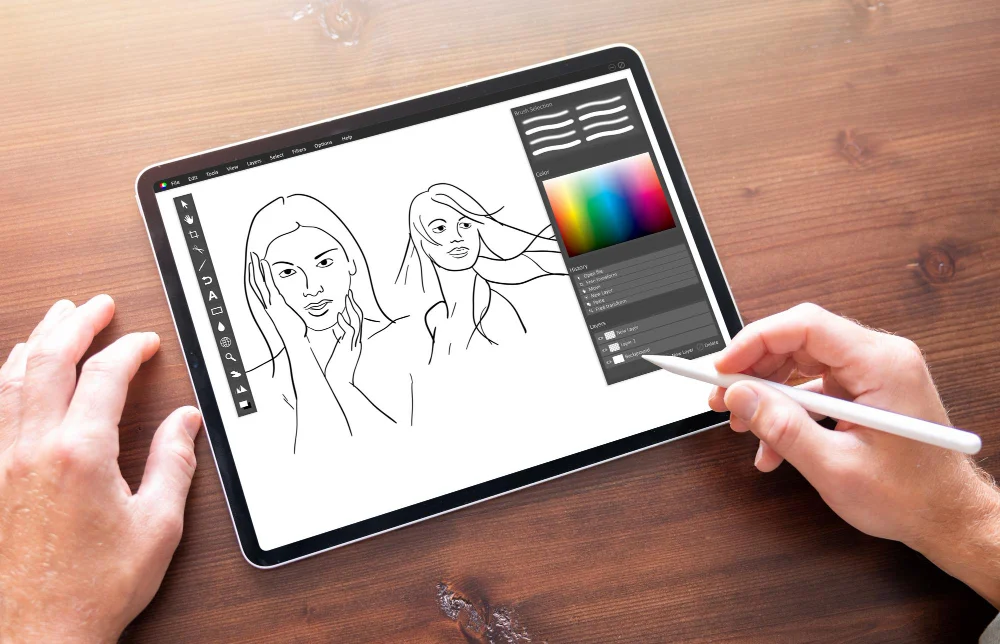
Before paying for flagship silicon, run the entire job on paper: capture or import, edit, version, export, deliver, and archive. The strongest device is the one that completes every step without a laptop-shaped detour.
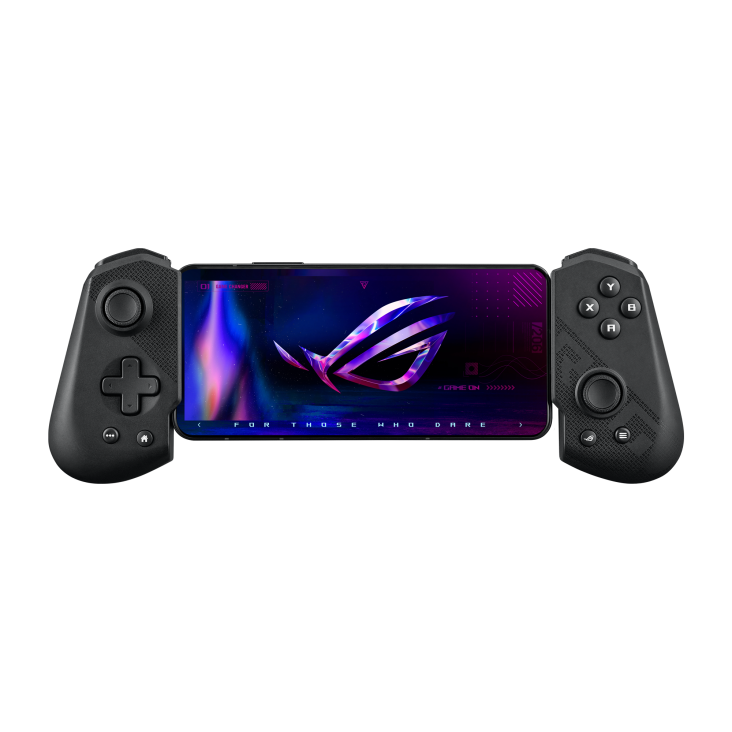
A 165Hz panel is only one link. Native games depend on sustained chip performance and cooling; cloud play adds network latency; remote console or PC play adds the home network and host system. Headphones and controllers can add delay too.

For field teams, total cost includes cases, mounts, scanning, connectivity, replacements, management, downtime, and support. A rugged device can look overpriced until the first drop, wet shift, battery swap, or multi-year rollout.
Cellular usually makes sense when the tablet regularly works away from trusted Wi-Fi. A hotspot from your phone is cheaper; a dedicated radio is more dependable and saves battery on the phone.
Inherited carrier prices are held from this candidate. Ask the carrier to quote the exact tablet model, parent phone-plan requirements, activation fee, taxes, data allowance, hotspot allowance and cancellation terms.
Record a dated quote and compare it with the cost and convenience of your existing phone hotspot.
The modem option is not just a monthly fee. It changes purchase price, setup, travel, battery use, and sometimes resale.
A cellular label does not guarantee every carrier or region. Match the exact model number, supported bands, and carrier certification before buying—especially for imports.
eSIM makes plan changes and travel setup convenient, while a physical SIM can move between compatible devices. Some tablets or carriers support only one path.
A phone hotspot avoids another line, but it adds setup friction, drains the phone, and may face separate high-speed limits. Test it during a real workday.
International data, day passes, and data-only eSIMs vary. Confirm whether the tablet is unlocked and whether the plan permits the destinations and usage you need.
On some tablet families, the cellular version is also the configuration with built-in satellite positioning. Check this closely for navigation, aviation, and field mapping.
Keep the exact model and IMEI in deployment records. A visually identical Wi-Fi model may use different parts, cases, antennas, or warranty channels.
Compare the full kit cost. Pens included in the box are a real advantage; keyboard covers are often the biggest hidden cost.
Check exact model compatibility, bundle contents and a current written quote. Supplied accessory assertions are held pending verification.
Check exact model compatibility, bundle contents and a current written quote. Supplied accessory assertions are held pending verification.
Check exact model compatibility, bundle contents and a current written quote. Supplied accessory assertions are held pending verification.
Check exact model compatibility, bundle contents and a current written quote. Supplied accessory assertions are held pending verification.
Check exact model compatibility, bundle contents and a current written quote. Supplied accessory assertions are held pending verification.
Check exact model compatibility, bundle contents and a current written quote. Supplied accessory assertions are held pending verification.
Check exact model compatibility, bundle contents and a current written quote. Supplied accessory assertions are held pending verification.
Check exact model compatibility, bundle contents and a current written quote. Supplied accessory assertions are held pending verification.
Check exact model compatibility, bundle contents and a current written quote. Supplied accessory assertions are held pending verification.
Check exact model compatibility, bundle contents and a current written quote. Supplied accessory assertions are held pending verification.
Check exact model compatibility, bundle contents and a current written quote. Supplied accessory assertions are held pending verification.
Check exact model compatibility, bundle contents and a current written quote. Supplied accessory assertions are held pending verification.
The best institutional tablet is the one the organization can enroll, repair, secure, update, and replace predictably—not the one with the fastest launch benchmark.
Start with identity, content filtering, repair logistics, and teacher controls. A protective case and shared-cart charging plan belong in the original bill of materials.
Lecture notes are only one workload. Department software, exam tools, library authentication, lab peripherals, citation workflows, and file submission decide whether a tablet can stand alone.
Art, design, animation, photo, music, and film students need different pen, color, storage, audio, and export capabilities. “Creative tablet” is not one requirement.
Identity, zero-touch enrollment, patch commitments, VPN, certificates, DLP, remote wipe, browser isolation, and accessory continuity outweigh consumer bundle savings.
Environmental ratings are a start, not a deployment. Brightness, gloves, wet touch, physical buttons, scanning, vehicle power, thermal limits, battery swaps, and FirstNet/carrier certification can be decisive.
Score candidates on the complete lifecycle rather than shelf price.
A “kids tablet” bundle can improve durability and onboarding, but no device replaces an adult’s rules, conversation, supervision, and periodic review. Use layered controls and test them from the child profile.
Do not hand over the adult profile. Set the child’s actual age so store ratings, purchase approval, privacy defaults, and content controls use the intended policy.
Require approval for apps and in-app purchases. Disable sideloading and unknown app sources. Review subscription renewal dates and shared payment methods.
Set sleep and school schedules, but also decide which apps, sites, contacts, cameras, location features, and multiplayer/chat tools are allowed.
Try search, image search, video links, embedded browsers inside apps, private browsing, guest mode, and links arriving through messages. Controls can differ by route.
Review microphone, camera, photo, contacts, Bluetooth, and location permissions. Avoid putting the child’s full name, school, address, or routine into a public profile.
Decide who can call or message, whether unknown contacts are blocked, how multiplayer voice works, and what the child should do when a stranger asks for secrecy or personal details.
Use a grippy case, tempered protector where compatible, safe charging location, volume limit, and a storage rule that keeps the tablet out of bedrooms overnight when appropriate.
Check the dashboard and installed apps with the child, explain why rules exist, update them as maturity changes, and keep a simple route for reporting upsetting content without punishment.
Four purchasing patterns expose where the hidden cost moves. These are checklists, not quoted totals: accessory prices and bundles change.
A case and sufficient storage usually matter more than a flagship chip.
Model the cost of every input accessory and the software used for the full academic year.
The expensive surprise is often outside the tablet: drives, hubs, adapters, calibrated display, and app plans.
Compare lifecycle cost per shift, not shelf price per device.
Buy for the biggest offline week, not the average day. Games, downloaded video, RAW photos, course packs, and system updates can converge exactly when cloud access is weakest.
Test lap stability and pointer feel. A great desk keyboard may be miserable on a couch, plane tray, or lecture-hall armrest.
Long support protects both security and resale. Separate promised OS upgrades from security patches and verify whether the clock starts at launch or purchase.
Use it to test the real workflow. Load the apps, pair the hardware, export a representative file, join the calls, and work where the tablet will actually be used.
A fast glossary for the terms that most often hide a meaningful tradeoff.
This is a static research snapshot dated September 27, 2026, not a live storefront. The 50 full profiles carry specs and pricing; the 195-model census is a broader discovery index spanning current and recent lines across new, import, enterprise, education, clearance, and used channels, so inclusion is not an availability or purchase recommendation. Prices are starting U.S. MSRP unless a card says “observed” or “launch.” Promotions, trade-ins, storage tiers, and cellular variants change frequently. Specs and review summaries were compiled from manufacturer pages, established review publications, and indexed product references. A few 2026 details had only index-level corroboration; those are labeled in-card or omitted rather than overstated.
Selected manufacturer fields in six profiles. No prices, hands-on tests or whole-catalogue verification.
Distinguish 477g Wi-Fi from 481g cellular; A16 naming; withhold unlisted RAM and refresh.
Read manufacturer source ↗13-inch Wi-Fi weight is 616g, cellular 617g. Refresh rate not specified on checked page.
Read manufacturer source ↗Ultra Wi-Fi 7 with regional/OS/router conditions; do not conflate S10+ Wi-Fi 6E.
Read manufacturer source ↗Current sheet gives 1108g standard battery and 1247g extended, not inherited 1074g. ET65 is the WAN variant; ET60 Wi-Fi only.
Read manufacturer source ↗InkSense Plus-only compatibility checked. First-generation Go 10.3 image is a family reference, not proof of Gen II appearance. Other supplied specs stay unverified.
Read manufacturer source ↗Unique unresolved questions recovered from the source notes. These are checks to make, not verified product claims.
Match the launch reference, region and exact SKU before quoting a price.
Resolve whether the source amount was a launch price, promotion or reseller listing.
Reconcile battery capacity across the exact regional model and source date.
Check the exact model’s expansion slot rather than borrowing a sibling specification.
Resolve display refresh against the exact generation and configuration.
Check accessory compatibility and a current dated quote separately.