— Inherited September 2026 research. Six profiles have partial primary-source checks. Other specifications, prices and endorsements are held privately. Research & image coverage
TABLET
COMPARISON
FIELD GUIDE / 0109
THE SCREEN IS ONLY THE START.

Find your
kind of tablet.

Compare 50 tablets for work, drawing, reading and play. Filter the supplied profiles, then put up to three screens side by side.

Explore the field guide ↓
START WITH YOUR WORK
50catalogue identities
195named models in the census
46distinct local model images
6partially checked profiles

The tablet desk

Start with your platform and evidence status. Open any card for its source specs and verification status; select up to three for a focused comparison.

Compare up to 3. Unchecked fields and all prices are withheld.
Showing 50 tablets

Seven markets hiding under one word

“Tablet” now spans couch screens, notebook replacements, paper emulators, drawing peripherals, and field terminals. Compare within a job first, then across platforms.

iPad

Tablet-native software and accessory ecosystem.

Android

Media tablets, keyboard workspaces and specialist devices.

Windows + ChromeOS

Desktop and browser-first detachables with physical keyboards.

E Ink

Reading, handwriting, focus, sunlight, and long standby.

Creative slates

Host-powered pen displays plus standalone artist tablets.

Rugged

Gloves, drops, sealed ports, hot-swap batteries, vehicle docks.

Kids bundles

Cases, warranties, subscriptions, profiles, and parent controls.

The 195-model market census

The 50 cards above are the fully researched shortlist. This wider index maps the active and recent lines buyers will still encounter across new, import, enterprise, education, and used channels.

195 named models

How to read this census: inclusion means the line belongs in a serious comparison, not that every model is a current U.S. retail recommendation. “Current and recent” deliberately catches clearance stock, imports, institutional configurations, and used models that still appear beside new hardware. Storage, radio, keyboard, pen, and regional variants are grouped under the base model name rather than inflated into separate entries. Open the 50 full profiles above for verified specs and dated pricing.

The screen, pen & silicon lab

Spec sheets describe ingredients. This section explains which ones change daily use—and which are easy to overpay for.

DISPLAY / PANEL

OLED, LCD, matte, E Ink

OLED gives perfect blacks and strong contrast; LCD can be excellent and avoids some OLED concerns; matte layers trade sparkle for glare control; E Ink prioritizes static content.

  • MoviesOLED has the most visible payoff in dark scenes.
  • DocumentsA good LCD is often enough; aspect ratio matters more.
  • Outdoor notesMatte LCD or E Ink can beat a glossy flagship.
DISPLAY / MOTION

60, 90, 120, 144 or 165Hz

Refresh rate changes scrolling and pen motion, but it does not make a slow chip fast. High refresh also matters less for static reading than for games or rapid ink strokes.

  • 60HzFunctional for video, reading, and casual browsing.
  • 90–120HzThe broad sweet spot for smooth interaction.
  • 144–165HzMost useful in supported games with sustained frame rates.
SHAPE / ERGONOMICS

Aspect ratio changes the object

Taller ratios favor documents and split-screen; wider displays suit cinematic video. A 13-inch tablet can become awkward in portrait even when its diagonal sounds only slightly larger.

  • 8–9 inchesBooks, games, travel, one-hand use.
  • 10–11 inchesThe all-purpose center of the market.
  • 12–15 inchesDesk, keyboard, art, sheet music, multitasking.
INPUT / PEN

“Supports a stylus” is not enough

Active pens differ in pressure, tilt, hover, shortcut gestures, charging, replacement nibs, latency, and palm rejection. Inclusion in the box changes value immediately.

  • ArtistsTest line wobble, diagonal strokes, pressure curve, and app support.
  • StudentsPrioritize comfort, battery behavior, and searchable notes.
  • Field teamsLook for tethering, water resistance, glove use, and replacements.
PERFORMANCE / MEMORY

RAM sets the multitasking ceiling

Chip speed determines how quickly work runs; memory determines how much stays alive. Light media use can live with less, while layered art, large documents, browser tabs, and desktop modes reward more.

  • 4GBBasic streaming and one-task-at-a-time use.
  • 8GBComfortable mainstream multitasking.
  • 12–16GBHeavier creative, gaming, DeX, and Windows work.
STORAGE / PORTS

Capacity is only half the storage story

Base capacity fills with downloads, games, video, art files, and system data. microSD is valuable for media but may not behave like internal app storage; fast USB-C and Thunderbolt matter for external drives.

  • 128GBThe practical floor for a long-lived general tablet.
  • 256GB+Safer for games, video, art, and offline travel.
  • Cloud-firstStill plan space for caches, exports, and no-signal days.

The 32-point decision matrix

Use this before reading another spec sheet. A single failed requirement can matter more than ten benchmark wins.

01 / SOFTWARECan it finish the job?

  • Exact apps: confirm platform, version, plug-ins, fonts, and account policy.
  • Files: test import, export, naming, folders, removable storage, and archive.
  • Background work: render, upload, sync, record, or call while another app is open.
  • External display: mirror versus extend, resolution, aspect ratio, and windowing.

02 / DISPLAYDoes the screen fit the task?

  • Size: measure the working area, not only the diagonal.
  • Shape: documents favor taller ratios; cinema favors wider ones.
  • Environment: check glare, minimum brightness, outdoor visibility, and PWM sensitivity.
  • Motion: match refresh rate to games, scrolling, ink, and battery priorities.

03 / INPUTWill you enjoy touching it?

  • Pen: pressure, tilt, hover, palm rejection, nib supply, charging, and latency.
  • Keyboard: pitch, travel, function row, lap stability, and trackpad accuracy.
  • Touch: edge rejection, wet touch, glove mode, and accidental activation.
  • Accessibility: switch control, dictation, magnification, captions, and hearing devices.

04 / PERFORMANCEFast now and later?

  • Chip: judge sustained workload, not only a short benchmark.
  • Memory: watch reloads with your normal tab and app count.
  • Thermals: test gaming, video export, charging, and direct sun.
  • Storage: leave space for updates, caches, downloads, and working files.

05 / MOBILITYCan it leave the desk?

  • Carry weight: include case, keyboard, pen, charger, and hub.
  • Battery: repeat a real day with your brightness and network.
  • Cellular: verify exact model, bands, eSIM, GPS, carrier, and plan.
  • Charging: test the charger and cable while using peripherals.

06 / OWNERSHIPWhat does the kit really cost?

  • Bundle: add pen, keyboard, case, storage tier, charger, and adapter.
  • Subscriptions: note app, cloud, office, kids, warranty, and cellular renewals.
  • Repair: battery, glass, ports, parts, mail-in time, and spare units.
  • Resale: support runway, condition, battery health, and accessory compatibility.

07 / TRUSTCan it be managed safely?

  • Updates: separate OS upgrades from security patches.
  • Identity: verify school, work, child, guest, and shared-device support.
  • Control: encryption, remote wipe, MDM, purchase approval, and app policy.
  • Privacy: camera, microphone, location, backup, telemetry, and account recovery.

08 / EXITWhat happens if it is wrong?

  • Return window: long enough to complete the actual workflow.
  • Data exit: export notebooks, art, photos, and settings in usable formats.
  • Accessory reuse: check whether pen, keyboard, hub, and case survive an upgrade.
  • Fallback: know what still works offline, after support ends, or if a service closes.

A seven-day field test

Use the return window deliberately. This protocol turns “it feels fast” into evidence from your own work, body, network, and accessories.

Setup and restore

Start as you would after a loss or replacement.

  • Restore accounts and required apps
  • Enroll work, school, or child profile
  • Pair pen, keyboard, audio, and watch
  • Record usable storage after setup

Core workflow

Complete one representative job end to end.

  • Import the real source files
  • Work with normal multitasking
  • Export in the required format
  • Open the result on another device

Mobility

Carry the complete kit, not the naked tablet.

  • Use it standing and one-handed
  • Work on a lap and small table
  • Test hotspot or cellular reconnect
  • Track battery from morning to night

Display and pen

Move beyond the showroom wallpaper.

  • Read outdoors and in a dark room
  • Write at display edges and diagonals
  • Check glare, fingerprints, and fatigue
  • Use split screen at normal text size

Calls and media

Test the social and entertainment reality.

  • Join a long video call
  • Try speakers and wired/wireless audio
  • Download and play offline video
  • Check camera framing in landscape

Stress and recovery

Find the weak edge before you own it.

  • Fill memory with your normal apps
  • Charge while doing heavy work
  • Sleep, wake, rotate, dock, and undock
  • Restart and recover unsynced work

Decision day

Compare the full kit with the alternative.

  • Price every accessory and subscription
  • Review app and file workarounds
  • Inspect comfort and battery notes
  • Erase and return if a blocker remains

Comfort, accessibility & long-session use

The best specification is irrelevant if the device is tiring, difficult to see, awkward to hear, or incompatible with the way a person interacts.

Weight is cumulative

A 500g tablet can become a kilogram-class kit with a keyboard case, charger, hub, and stand. Weigh the packed setup and test the posture you actually use.

TEST: 30 MINUTES IN THE REAL POSITION

Text before pixels

Increase text and interface scale, then inspect clipped controls, split-screen space, browser zoom, PDF reflow, and whether apps respect system settings.

TEST: YOUR NORMAL READING SIZE

Glare, flicker and brightness

Glossy panels can be tiring under windows; minimum brightness matters at night; some people notice OLED PWM. Judge comfort, not panel prestige.

TEST: BRIGHT SUN + DARK ROOM

Audio is more than volume

Check speech clarity, stereo balance in each orientation, caption controls, Bluetooth latency, hearing-device support, microphone pickup, and physical volume access.

TEST: CALL, FILM, AND QUIET DIALOGUE

Alternative input

Verify dictation, voice control, switch access, pointer settings, keyboard navigation, dwell control, external buttons, and remapping in the exact apps that matter.

TEST: COMPLETE ONE TASK WITHOUT TOUCH

Pen grip and reach

Barrel thickness, side-button placement, nib drag, hover, palm rejection, and where the pen lives can matter more over hours than peak pressure levels.

TEST: A FULL PAGE, NOT A SIGNATURE

Case geometry

Folio angles that work on a desk can collapse on a lap; rugged lips can block edge gestures; keyboard cases shift the center of gravity backward.

TEST: BED, COUCH, DESK, AND TRAY

Motion and animation

Use system settings to reduce motion where needed, but also inspect app-specific animation, scrolling behavior, high-refresh modes, and battery tradeoffs.

TEST: SCROLL LONG PAGES FOR TEN MINUTES

Caregiver and shared use

Simple profile switching, remote support, clear charging status, durable connectors, biometric fallback, and recovery paths can determine whether a shared tablet stays usable.

TEST: HAND IT TO THE NEXT PERSON

Three workflows, unpacked

These are not benchmark races. They trace the weak link from screen to software to accessories to export.
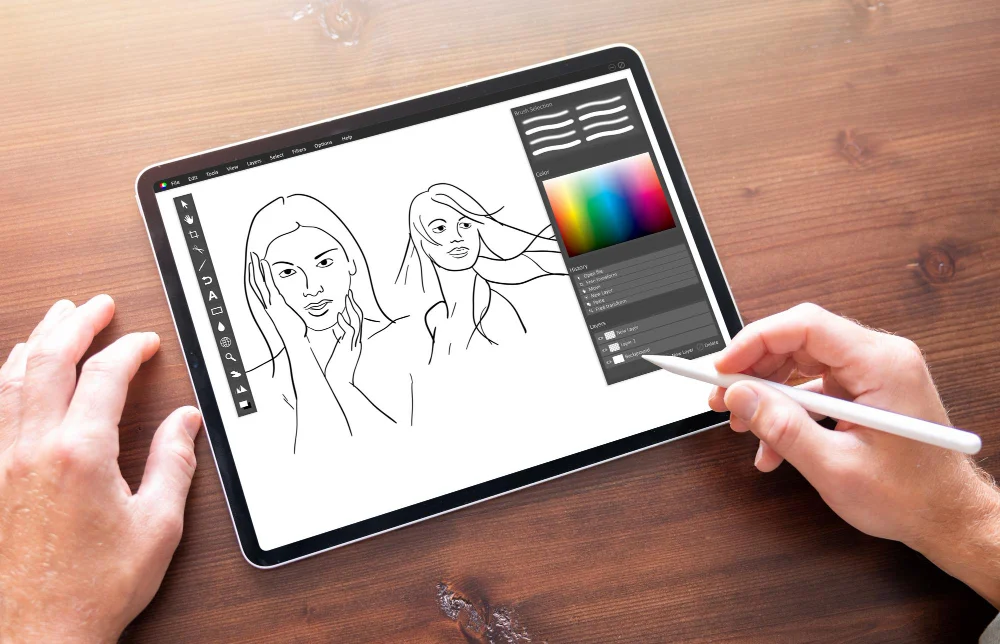
Editorial scene: Hands using a stylus on a tablet for digital drawing; not a product test
CREATIVE WORK

A fast chip cannot rescue the wrong pipeline.

Before paying for flagship silicon, run the entire job on paper: capture or import, edit, version, export, deliver, and archive. The strongest device is the one that completes every step without a laptop-shaped detour.
IllustrationPen feel, app brush engine, color, layers, file handoff.
VideoCodec support, fast storage, monitor output, background exports.
MusicAudio interface, monitoring, plug-ins, file transfer, charging.
PhotographyCard import, RAW workflow, display accuracy, backup path.
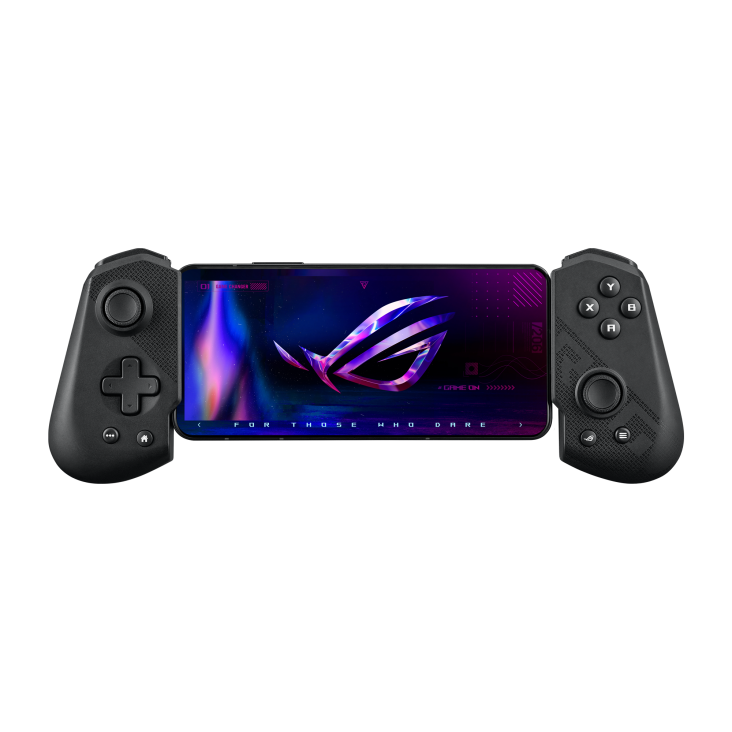
Editorial scene: Mobile game controller designed to hold a tablet or phone; not a product test
GAMES + STREAMING

Latency has more than one address.

A 165Hz panel is only one link. Native games depend on sustained chip performance and cooling; cloud play adds network latency; remote console or PC play adds the home network and host system. Headphones and controllers can add delay too.

Native playCheck store availability, controller mapping, thermals, and storage size.
Cloud playStable Wi-Fi and distance to the service matter more than peak bandwidth.
Remote playWire the host when possible and favor a strong local router.
Long sessionsWeight, grip, charging position, heat, and speakers become decisive.
Editorial scene: Field worker using a rugged tablet outdoors near wind turbines; not a product test
FIELD + FLEET

The cheapest slate is rarely the cheapest deployment.

For field teams, total cost includes cases, mounts, scanning, connectivity, replacements, management, downtime, and support. A rugged device can look overpriced until the first drop, wet shift, battery swap, or multi-year rollout.

HardwareIngress rating, drop standard, glove mode, brightness, battery service.
OperationsMDM enrollment, kiosk mode, remote support, update window.
Vehicle useMount, power, thermal limits, GPS, and modem bands.
ContinuitySpare units, replaceable parts, vendor lifecycle, accessory stability.

Wi-Fi or cellular?

Cellular usually makes sense when the tablet regularly works away from trusted Wi-Fi. A hotspot from your phone is cheaper; a dedicated radio is more dependable and saves battery on the phone.

Commute + travel
Reliable maps, files, and messages without hotspot friction
Cellular helps
Mostly at home
Streaming, reading, and couch browsing on known networks
Wi-Fi wins
Field work
Uploads and cloud access are part of the job
Cellular is insurance
Occasional trips
Tether, or use a short-term eSIM/day pass where supported
Skip the monthly line

Quote the whole connection

Inherited carrier prices are held from this candidate. Ask the carrier to quote the exact tablet model, parent phone-plan requirements, activation fee, taxes, data allowance, hotspot allowance and cancellation terms.

Record a dated quote and compare it with the cost and convenience of your existing phone hotspot.

Cellular fine print that changes the answer

The modem option is not just a monthly fee. It changes purchase price, setup, travel, battery use, and sometimes resale.

RADIO

Band support first

A cellular label does not guarantee every carrier or region. Match the exact model number, supported bands, and carrier certification before buying—especially for imports.

ACTIVATION

eSIM versus physical SIM

eSIM makes plan changes and travel setup convenient, while a physical SIM can move between compatible devices. Some tablets or carriers support only one path.

HOTSPOT

Tethering still has a cost

A phone hotspot avoids another line, but it adds setup friction, drains the phone, and may face separate high-speed limits. Test it during a real workday.

TRAVEL

Roaming is plan-specific

International data, day passes, and data-only eSIMs vary. Confirm whether the tablet is unlocked and whether the plan permits the destinations and usage you need.

LOCATION

GPS can follow the modem

On some tablet families, the cellular version is also the configuration with built-in satellite positioning. Check this closely for navigation, aviation, and field mapping.

LIFECYCLE

Model numbers matter later

Keep the exact model and IMEI in deployment records. A visually identical Wi-Fi model may use different parts, cases, antennas, or warranty channels.

Budget the ecosystem

Compare the full kit cost. Pens included in the box are a real advantage; keyboard covers are often the biggest hidden cost.

Apple Pencil + Magic Keyboard

Check exact model compatibility, bundle contents and a current written quote. Supplied accessory assertions are held pending verification.

Check the exact accessory and current quote

Samsung S Pen + DeX

Check exact model compatibility, bundle contents and a current written quote. Supplied accessory assertions are held pending verification.

Check the exact accessory and current quote

Surface keyboard + Slim Pen

Check exact model compatibility, bundle contents and a current written quote. Supplied accessory assertions are held pending verification.

Check the exact accessory and current quote

OnePlus work kit

Check exact model compatibility, bundle contents and a current written quote. Supplied accessory assertions are held pending verification.

Check the exact accessory and current quote

E-paper extras

Check exact model compatibility, bundle contents and a current written quote. Supplied accessory assertions are held pending verification.

Check the exact accessory and current quote

Protection + ports

Check exact model compatibility, bundle contents and a current written quote. Supplied accessory assertions are held pending verification.

Check the exact accessory and current quote

Storage + card readers

Check exact model compatibility, bundle contents and a current written quote. Supplied accessory assertions are held pending verification.

Check the exact accessory and current quote

Audio interfaces

Check exact model compatibility, bundle contents and a current written quote. Supplied accessory assertions are held pending verification.

Check the exact accessory and current quote

Controllers + grips

Check exact model compatibility, bundle contents and a current written quote. Supplied accessory assertions are held pending verification.

Check the exact accessory and current quote

Stands + mounts

Check exact model compatibility, bundle contents and a current written quote. Supplied accessory assertions are held pending verification.

Check the exact accessory and current quote

Replacement nibs

Check exact model compatibility, bundle contents and a current written quote. Supplied accessory assertions are held pending verification.

Check the exact accessory and current quote

Charging kit

Check exact model compatibility, bundle contents and a current written quote. Supplied accessory assertions are held pending verification.

Check the exact accessory and current quote

Education & enterprise buying guides

The best institutional tablet is the one the organization can enroll, repair, secure, update, and replace predictably—not the one with the fastest launch benchmark.

K–12 classroom fleet

Start with identity, content filtering, repair logistics, and teacher controls. A protective case and shared-cart charging plan belong in the original bill of materials.

  1. Choose Apple School Manager, Android Enterprise, Chrome/Google controls, or Windows management before hardware
  2. Verify assessment browser, accessibility, classroom, and offline-content requirements
  3. Price accidental damage, spares, screen repair, cases, chargers, and end-of-life recovery
  4. Separate take-home privacy rules from in-school monitoring

College & university

Lecture notes are only one workload. Department software, exam tools, library authentication, lab peripherals, citation workflows, and file submission decide whether a tablet can stand alone.

  1. Ask each department which desktop-only apps are mandatory
  2. Test handwriting search, PDF markup, LMS upload, external display, and video calls
  3. Favor repairable keyboards and cases over one-piece accessory bundles
  4. Budget cloud storage, app subscriptions, and a backup export path

Creative programs

Art, design, animation, photo, music, and film students need different pen, color, storage, audio, and export capabilities. “Creative tablet” is not one requirement.

  1. Illustration: line quality, pressure curve, tilt, app brushes, layered-file export
  2. Photo/video: color workflow, card import, codecs, external SSD, calibrated monitor
  3. Music: low-latency interface, MIDI, monitoring, charging while connected
  4. 3D/CAD: desktop app and driver support may favor Windows or a pen display

Enterprise knowledge work

Identity, zero-touch enrollment, patch commitments, VPN, certificates, DLP, remote wipe, browser isolation, and accessory continuity outweigh consumer bundle savings.

  1. Map every required app, browser extension, certificate, and peripheral
  2. Confirm update support in writing and define replacement triggers
  3. Pilot split-screen, external displays, virtual desktops, and conference rooms
  4. Measure help-desk load during a real 30-day deployment

Field service & public safety

Environmental ratings are a start, not a deployment. Brightness, gloves, wet touch, physical buttons, scanning, vehicle power, thermal limits, battery swaps, and FirstNet/carrier certification can be decisive.

  1. Test the exact case, hand strap, mount, scanner, and dock together
  2. Verify GNSS, modem bands, private network/APN needs, and dead-zone workflow
  3. Document battery rotation and hot-swap behavior
  4. Keep a certified spare pool and replacement SLA

Procurement scorecard

Score candidates on the complete lifecycle rather than shelf price.

  1. 30% workflow and app fit
  2. 20% security and management
  3. 15% durability and repair
  4. 15% support runway
  5. 10% connectivity
  6. 10% total accessory and service cost
Run the same acceptance test on every finalist: enroll, configure, work offline, use the pen, attach peripherals, export, wipe, restore, and replace.

Kid safety is a setup, not a sticker

A “kids tablet” bundle can improve durability and onboarding, but no device replaces an adult’s rules, conversation, supervision, and periodic review. Use layered controls and test them from the child profile.

Start with a child account

Do not hand over the adult profile. Set the child’s actual age so store ratings, purchase approval, privacy defaults, and content controls use the intended policy.

Lock purchases and installs

Require approval for apps and in-app purchases. Disable sideloading and unknown app sources. Review subscription renewal dates and shared payment methods.

Shape access, not only minutes

Set sleep and school schedules, but also decide which apps, sites, contacts, cameras, location features, and multiplayer/chat tools are allowed.

Test the browser paths

Try search, image search, video links, embedded browsers inside apps, private browsing, guest mode, and links arriving through messages. Controls can differ by route.

Protect privacy

Review microphone, camera, photo, contacts, Bluetooth, and location permissions. Avoid putting the child’s full name, school, address, or routine into a public profile.

Secure communication

Decide who can call or message, whether unknown contacts are blocked, how multiplayer voice works, and what the child should do when a stranger asks for secrecy or personal details.

Plan for the physical device

Use a grippy case, tempered protector where compatible, safe charging location, volume limit, and a storage rule that keeps the tablet out of bedrooms overnight when appropriate.

Review together

Check the dashboard and installed apps with the child, explain why rules exist, update them as maturity changes, and keep a simple route for reporting upsetting content without punishment.

Platform reality: Amazon Kids bundles emphasize a case, two-year worry-free guarantee, and a year of Kids+ on listed models; Apple Screen Time/Family Sharing and Google Family Link offer broader app ecosystems but require more deliberate setup. Always verify current settings after OS updates, because menus and defaults change.

The price on the card is not the setup price

Four purchasing patterns expose where the hidden cost moves. These are checklists, not quoted totals: accessory prices and bundles change.

Media setup

Build your own quoteTablet + accessories + recurring costs

A case and sufficient storage usually matter more than a flagship chip.

  1. Tablet with 128GB or microSD
  2. Stand case that protects corners
  3. Headphones or existing speakers
  4. Optional family subscription costs

Student setup

Build your own quoteTablet + accessories + recurring costs

Model the cost of every input accessory and the software used for the full academic year.

  1. Tablet and active pen
  2. Keyboard or separate Bluetooth board
  3. Protective bag or case
  4. Cloud storage and note app plan

Creative setup

Build your own quoteTablet + accessories + recurring costs

The expensive surprise is often outside the tablet: drives, hubs, adapters, calibrated display, and app plans.

  1. Tablet with adequate RAM and storage
  2. Pen, stand, and spare tips
  3. Fast external storage and hub
  4. Backup and desktop handoff

Field setup

Build your own quoteTablet + accessories + recurring costs

Compare lifecycle cost per shift, not shelf price per device.

  1. Rugged tablet or certified case
  2. Connectivity and device management
  3. Mounts, scanners, chargers, spares
  4. Support term and replacement process

Storage rule

Buy for the biggest offline week, not the average day. Games, downloaded video, RAW photos, course packs, and system updates can converge exactly when cloud access is weakest.

Keyboard rule

Test lap stability and pointer feel. A great desk keyboard may be miserable on a couch, plane tray, or lecture-hall armrest.

Support rule

Long support protects both security and resale. Separate promised OS upgrades from security patches and verify whether the clock starts at launch or purchase.

Return-window rule

Use it to test the real workflow. Load the apps, pair the hardware, export a representative file, join the calls, and work where the tablet will actually be used.

Specs translated

A fast glossary for the terms that most often hide a meaningful tradeoff.

AMOLED / OLED
Each pixel emits its own light, enabling true black and very high contrast.
IPS / LCD
A backlit display technology that can offer accurate color and strong brightness at lower cost.
Tandem OLED
Two light-emitting layers are stacked to raise brightness and manage longevity.
Kaleido color E Ink
A color-filter layer over monochrome e-paper; calm and efficient, but less saturated than LCD or OLED.
Refresh rate
How many times the display can redraw each second. Higher values make motion and ink feel smoother.
Touch sampling
How often touch input is measured. It is related to, but not identical with, display refresh.
Active stylus
A powered or digitizer-linked pen that can report pressure, tilt, hover, or buttons.
Palm rejection
Software and digitizer behavior that ignores a resting hand while the pen is in use.
Unified memory
A memory pool shared by processor components; common on Apple silicon.
microSD
Removable storage useful for files and media, though app support varies.
Thunderbolt
A high-speed USB-C-shaped connection for storage, docks, and displays on supported models.
DisplayPort Alt Mode
A USB-C capability that sends video to an external monitor without a separate video connector.
Wi-Fi 7
A newer wireless generation whose benefits require a compatible router and network conditions.
eSIM
A software-configured cellular subscription, avoiding a removable SIM card.
IP68
A standardized dust and water ingress rating under defined test conditions; not blanket damage protection.
MIL-STD-810H
A family of environmental test methods. The manufacturer should state which tests and limits were used.
DeX
Samsung’s desktop-style interface for multitasking with keyboard, pointer, and sometimes an external display.
Stage Manager
Apple’s windowing system for arranging overlapping app windows on supported iPads.
Digitizer
The sensor layer that tracks an active pen. Pen compatibility depends on this technology, not the tablet’s USB-C port or magnetic edge.
Initial activation force
The pressure needed before a pen begins drawing. Lower force can make faint strokes and tapered lines easier.
Parallax
The apparent gap between the pen tip and the pixels below it, influenced by display-layer thickness and viewing angle.
Laminated display
A panel whose cover glass and display layers are bonded closely, reducing reflections and the visible gap under a pen.
PWM
Pulse-width modulation, a brightness-control method that rapidly switches light output; some viewers are sensitive to its flicker.
Nits
A measure of luminance. Peak claims do not always describe sustained full-screen brightness or outdoor readability.
Color gamut
The range of colors a display can reproduce. Coverage matters only with calibration, app support, and a managed workflow.
UFS storage
Fast soldered flash storage common in Android tablets; generation and controller affect app loads and large-file transfers.
USB4
A high-bandwidth USB-C connection that can carry data, displays, and power; supported features still vary by device and cable.
GNSS
Satellite positioning across systems such as GPS and Galileo. On some families it appears only on cellular configurations.
MDM
Mobile device management: organizational tools for enrollment, policy, apps, certificates, updates, lock, and remote wipe.
Kiosk mode
A managed configuration that limits the tablet to one app or a controlled set of functions.
Hot-swap battery
A battery that can be exchanged while the device keeps running, usually with a small internal reserve or dual-battery design.
Anti-glare vs matte
Anti-glare coatings reduce reflections; textured matte layers scatter more light and can change sharpness, sparkle, and pen wear.
Widevine level
A DRM capability that can affect the maximum resolution available from protected streaming services on some Android devices.
Arm compatibility
Whether apps, plug-ins, drivers, games, and peripherals run natively or reliably through translation on an Arm-based Windows tablet.
Repairability
How readily parts can be replaced using available manuals, tools, components, and service channels—not just whether a device opens.
Support runway
The remaining period of promised OS and security updates, measured from the device’s launch rather than the day you buy it.
Methodology, caveats & sources

This is a static research snapshot dated September 27, 2026, not a live storefront. The 50 full profiles carry specs and pricing; the 195-model census is a broader discovery index spanning current and recent lines across new, import, enterprise, education, clearance, and used channels, so inclusion is not an availability or purchase recommendation. Prices are starting U.S. MSRP unless a card says “observed” or “launch.” Promotions, trade-ins, storage tiers, and cellular variants change frequently. Specs and review summaries were compiled from manufacturer pages, established review publications, and indexed product references. A few 2026 details had only index-level corroboration; those are labeled in-card or omitted rather than overstated.

Wirecutter — Best TabletWirecutter — Best Android TabletTom’s Guide — Galaxy Tab S11 reviewXDA — OnePlus Pad 3 reviewWindows Central — Legion Tab reviewAndroid Authority — TCL NXTPAPER reviewTom’s Hardware — Surface Pro 12MacRumors — iPad Pro roundupSamsung — Galaxy Tab S11Verizon — connected device plans9to5Mac — AT&T iPad Day PassGoogle Fi — Flexible planTechRepublic — tablet timelineZDNet — tablet history overviewSHI — iPad mini A17 Pro specificationsTechRadar — Lenovo Idea Tab Pro reviewZDNet — Galaxy Tab Active5 Pro reviewLiliputing — Fire HD 8 specificationsTechRadar — Paper Pro Move reviewAndroid Police — Galaxy Tab Active5 U.S. launchEditorial image source — tablet drawingASUS ROG — mobile controller galleryConker — rugged tablet field imageWindows Central — Surface Pro 11 vs ASUS ProArt PZ13Windows Central — ThinkPad X12 Detachable Gen 2TechRadar Pro — Dell Latitude 7030 Rugged ExtremeDell — Latitude 7030 rugged specificationsAmazon — Fire HD 10 Kids ProAndroid Police — Kindle Scribe vs Kobo Elipsa 2EONYX BOOX — Tab Ultra C ProMakeUseOf — Huion Kamvas Pro 16 (2.5K)XPPen — Artist Pro 16 Gen 2Liliputing — Supernote Manta A5 X2Tech Times — iPad 10th generation imageSamsung — Galaxy Tab S10 series imageLenovo — Chromebook Duet 11 imageBOOX — Go 10.3 imageParka Blogs — XPPen Magic Drawing Pad imageZebra — ET60 imageeDealInfo — Fire 7 Kids Pro imageWikipedia — iPad 10th generation specificationsTechRepublic — iPad 10th generation refurb priceSamsung Support — Galaxy Tab S10 Ultra specificationsAndroid Central — Galaxy Tab S10 series guideHow-To Geek — Chromebook Duet 11 reviewLaptop Mag — Chromebook Duet 11 reviewMakeUseOf — BOOX Go 10.3 Gen II reviewNotebookcheck — BOOX Go 10.3 Gen IIXPPen — Magic Drawing Pad specificationsGamma Solutions — Zebra ET60 specificationsAmazon — Fire 7 Kids Pro listingTom’s Guide — Fire Kids Pro specs

What we checked

Selected manufacturer fields in six profiles. No prices, hands-on tests or whole-catalogue verification.

PRIMARY SOURCE / 27 SEP 2026

Apple iPad A16 technical specifications

Distinguish 477g Wi-Fi from 481g cellular; A16 naming; withhold unlisted RAM and refresh.

Read manufacturer source ↗
PRIMARY SOURCE / 27 SEP 2026

Apple iPad Air M4 technical specifications

13-inch Wi-Fi weight is 616g, cellular 617g. Refresh rate not specified on checked page.

Read manufacturer source ↗
PRIMARY SOURCE / 27 SEP 2026

Samsung Galaxy Tab S10 launch specifications

Ultra Wi-Fi 7 with regional/OS/router conditions; do not conflate S10+ Wi-Fi 6E.

Read manufacturer source ↗
PRIMARY SOURCE / 27 SEP 2026

Zebra ET60/ET65 specification sheet

Current sheet gives 1108g standard battery and 1247g extended, not inherited 1074g. ET65 is the WAN variant; ET60 Wi-Fi only.

Read manufacturer source ↗
PRIMARY SOURCE / 27 SEP 2026

BOOX Go 10.3 Gen II official product page

InkSense Plus-only compatibility checked. First-generation Go 10.3 image is a family reference, not proof of Gen II appearance. Other supplied specs stay unverified.

Read manufacturer source ↗

The configuration checklist

Unique unresolved questions recovered from the source notes. These are checks to make, not verified product claims.

SOURCE CONFLICT / OPEN

Galaxy Tab S11

Match the launch reference, region and exact SKU before quoting a price.

SOURCE CONFLICT / OPEN

Galaxy Tab S10 Lite

Resolve whether the source amount was a launch price, promotion or reseller listing.

SOURCE CONFLICT / OPEN

OnePlus Pad Go 2

Reconcile battery capacity across the exact regional model and source date.

SOURCE CONFLICT / OPEN

TCL NXTPAPER

Check the exact model’s expansion slot rather than borrowing a sibling specification.

SOURCE CONFLICT / OPEN

Surface detachable

Resolve display refresh against the exact generation and configuration.

SOURCE CONFLICT / OPEN

Apple Pencil USB-C

Check accessory compatibility and a current dated quote separately.

Research & image coverage

This candidate retains 50 supplied catalogue identities and a searchable source-name census. Six profiles expose selected checked fields; unsupported values are held privately. Two complete reports are preserved privately. Their routes below explain the review hold without exposing the source claims. Census entries are names only; they do not all have full profiles. Some profiles share a model-family image.

49 supplied application images are retained: 46 product images and three editorial images. Available image-source links are preserved in the media credits. Exact-generation image matching remains incomplete. Unsupported specifications, review excerpts, rankings and prices are not presented as verified facts.